HOW-TO GUIDE
Get Started: Clinician Guides
Patient Registration, Care Plan Assignment
A step-by-step reference for registering a new patient and assigning their care plan.
01 | Login
Log in to prod.reliacare.ai
Open the Users module.
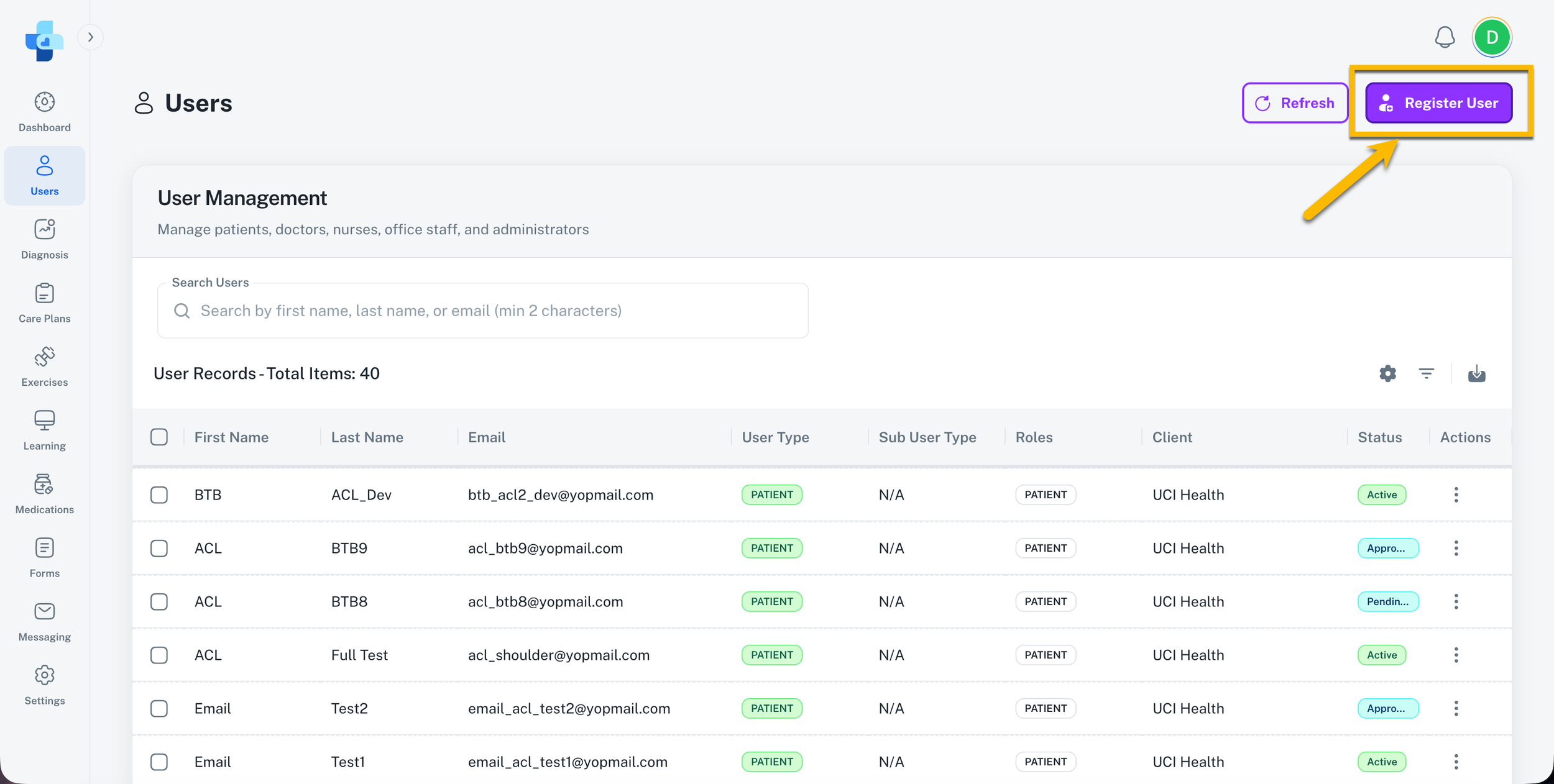
Select Register User in the top-right corner.
02 | Register the Patient
Fill in the required patient information.
Select Register User to confirm.
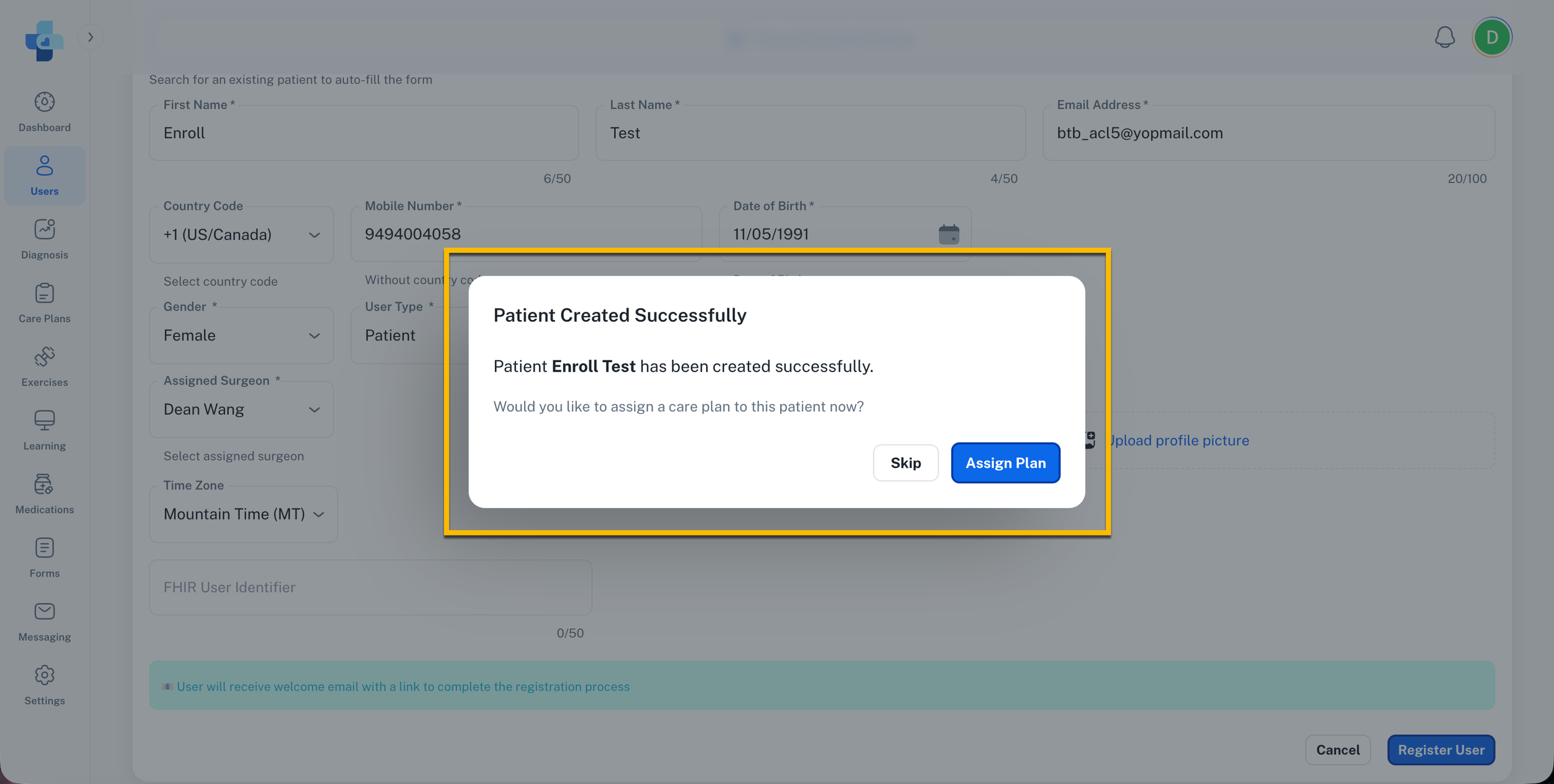
A popup will appear asking whether you'd like to assign the care plan now or later.
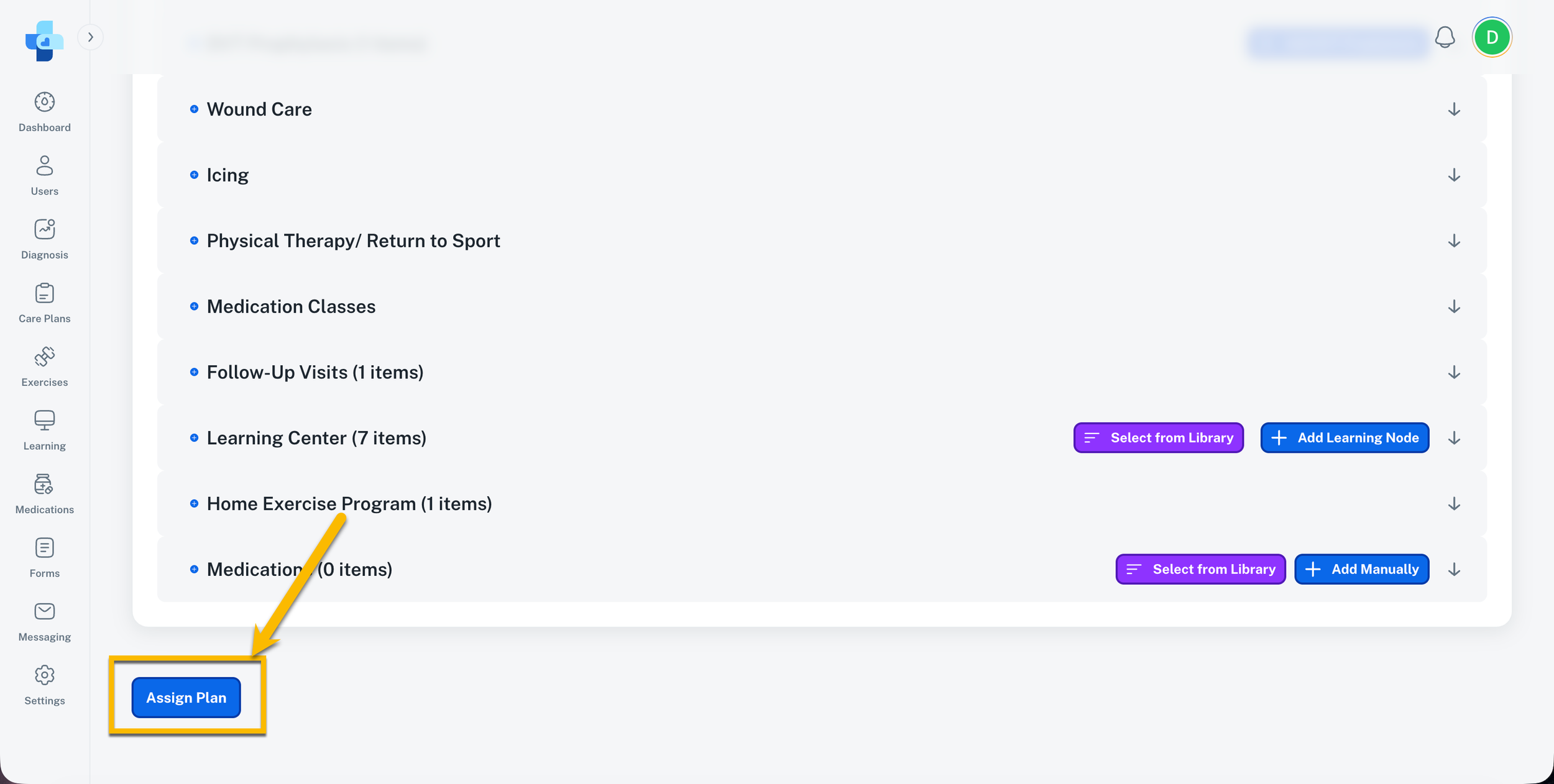
04 | Review and Finalize
Review the care plan details, make any necessary updates, then select Assign Plan to complete.
03 | Assign a Care Plan
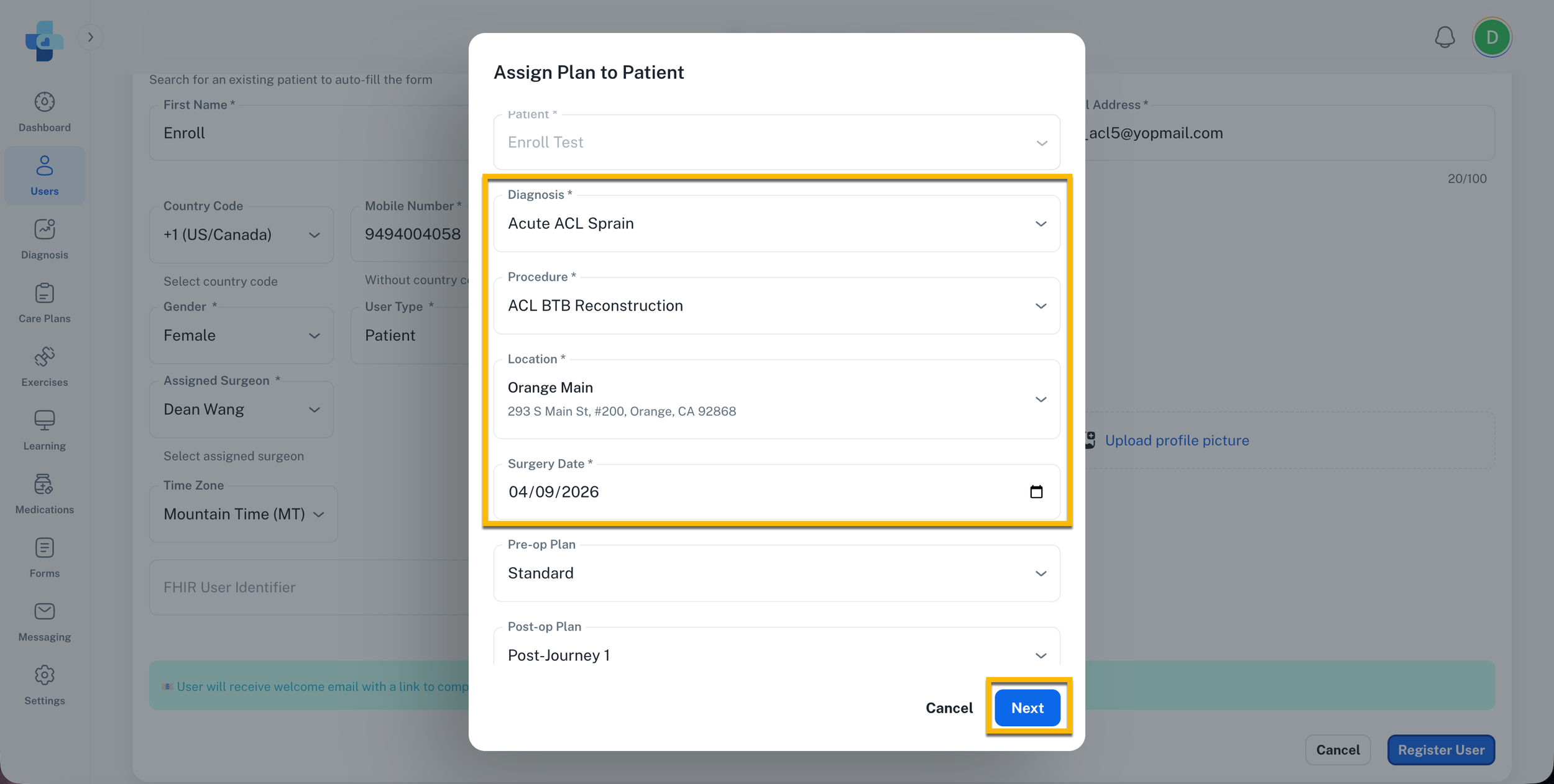
To assign the care plan now, select Assign Plan from the popup.
To assign it later, go back to the Users module, select the three-dot menu next to the patient, then select Assign Plan.
Select the Diagnosis and Procedure from the dropdown menus, then choose the Location and enter the Date of Surgery.
Select Next.
Diagnosis Review
A step-by-step reference for locating a diagnosis, review its associated procedures, and publishing or saving protocols.
01 | Open the diagnosis
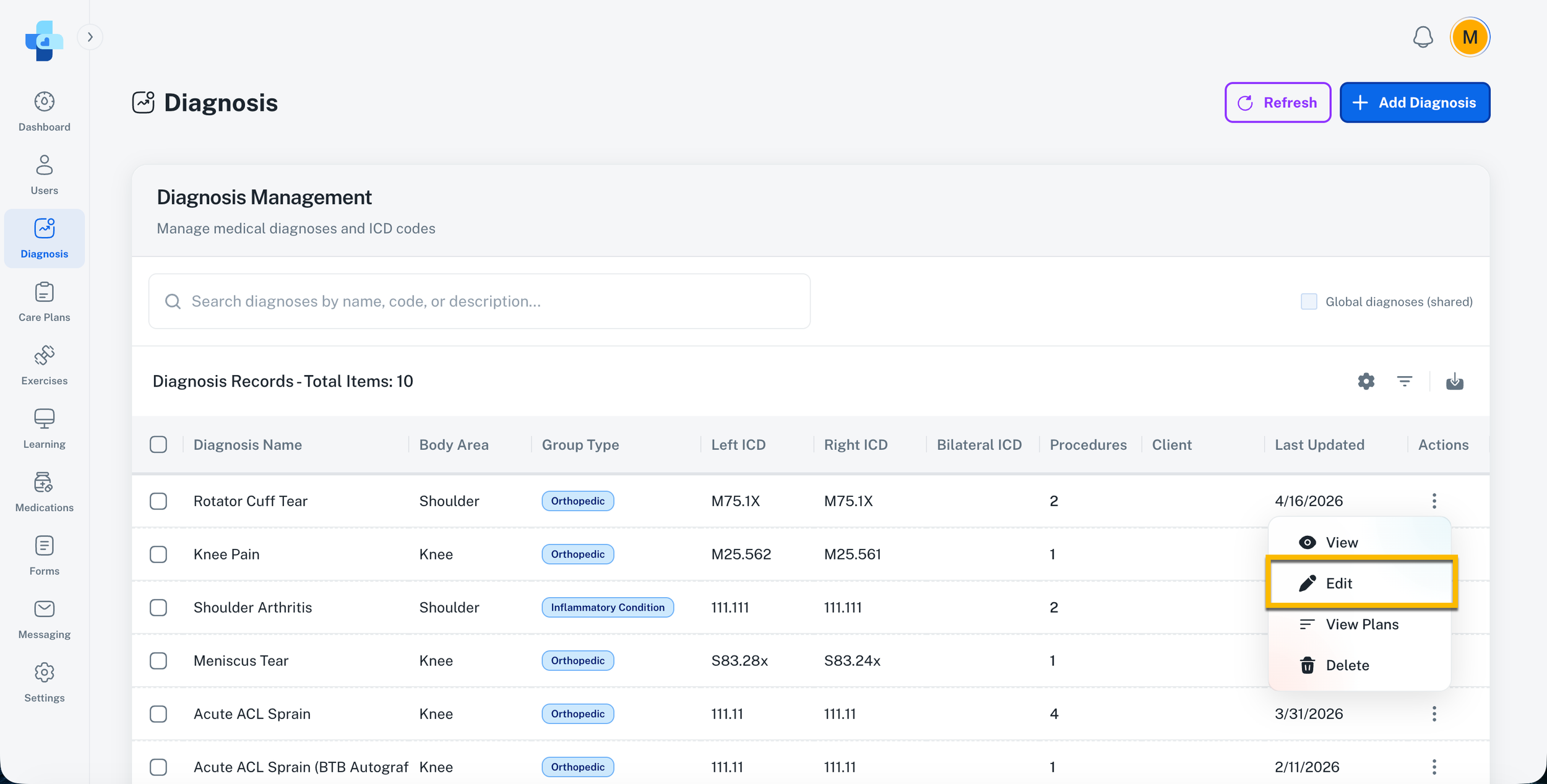
Navigate to the Diagnosis module.
Locate the diagnosis you want to review and select the three-dot menu next to it.
Select Edit.
02 | Review procedures
On the first page, confirm that all procedures performed for this diagnosis are selected.
If everything looks correct, select Next.
Note: If a procedure is performed by your clinic but is not listed, contact support@reliacare.ai.
03 | Review and publish protocols
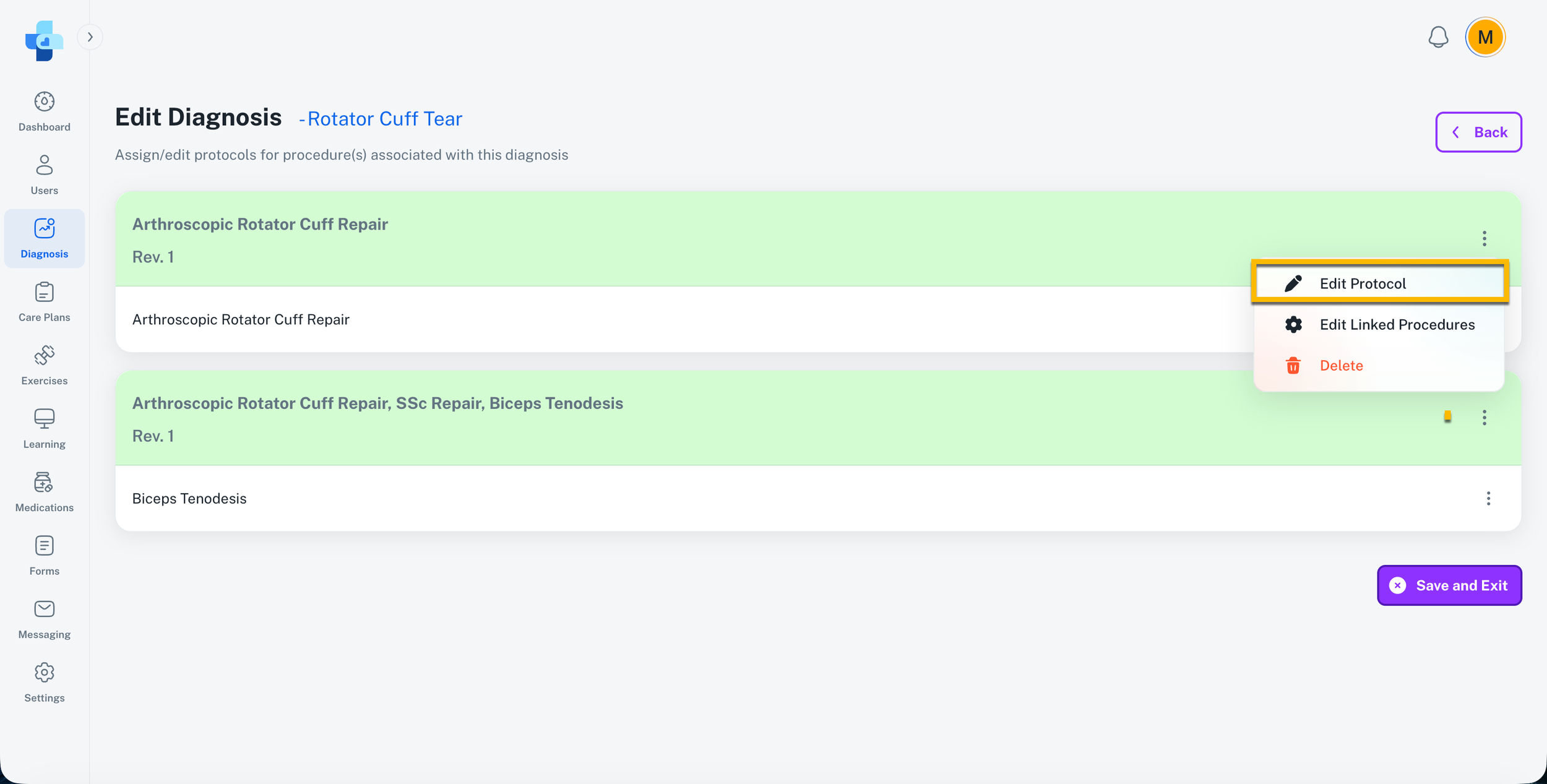
For each procedure, select the three-dot menu in the header, then select Edit Protocol.
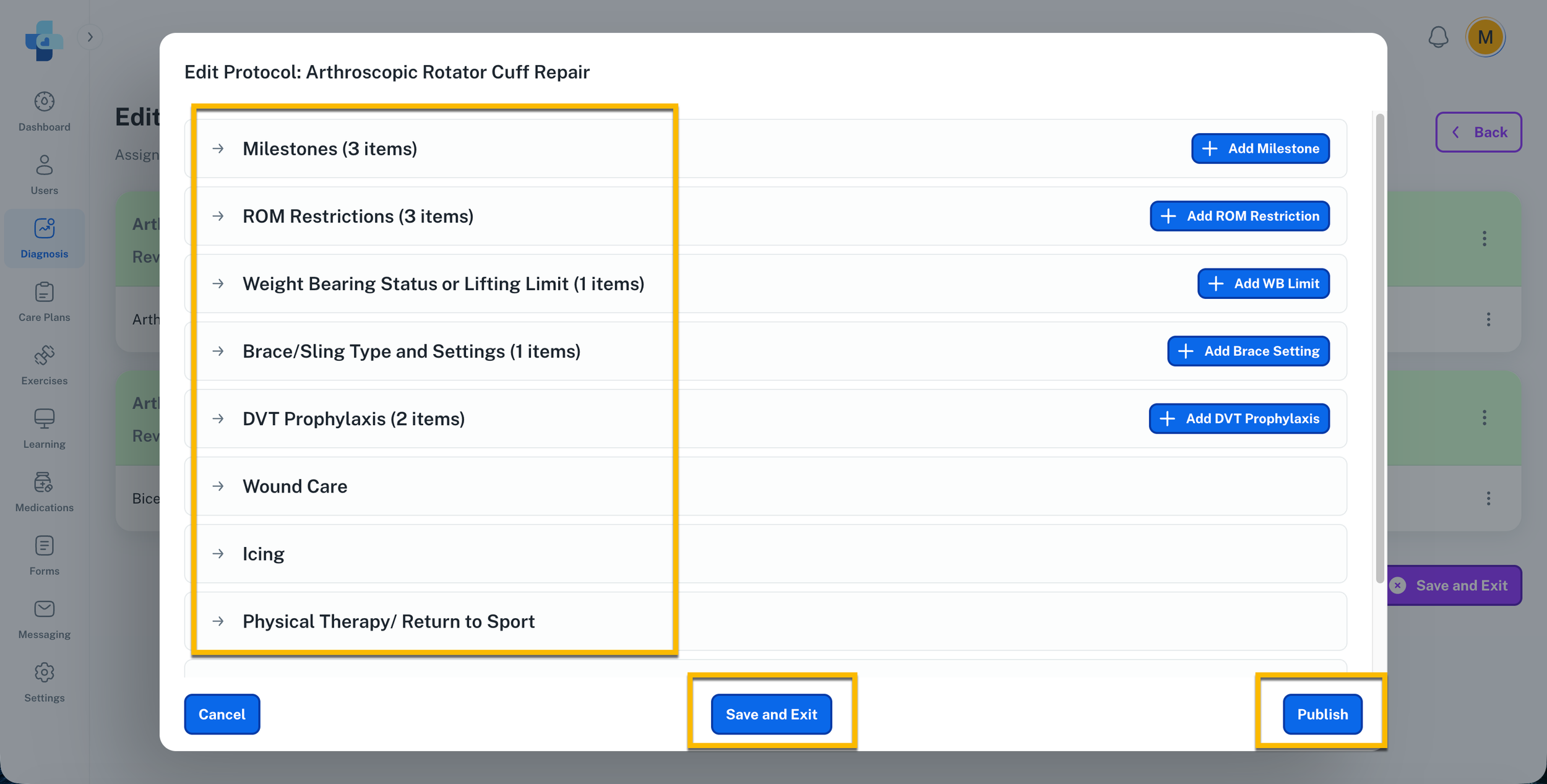
Review each section of the protocol.
To save your progress and return later, select Save and Exit. To publish the completed protocol, select Publish Protocol.
Once all protocols for every procedure have been reviewed, select Save and Exit. You will be returned to the Diagnosis module.